
Free WooCommerce plugin
Write a product tab once. Show it on every matching product.
Shared WooCommerce tabs by category, tag or brand. Edit once, every product updates, and tabs survive updates, imports and migrations.
Free · No locked features · No tracking
Why we built it
We read 530 reviews and 750 support threads first
Before writing any code, we read 530 reviews of eight product-tab plugins and 750 support threads. The same few problems kept coming back, and BulkTab is designed around fixing them.
The biggest one: 26% of the threads were about tabs that disappeared after an update, an import or a site migration. Read the details in why WooCommerce product tabs disappear.
| What the support thread was about | Share of threads |
|---|---|
| Tabs disappearing after updates, imports or migrations | 26% |
| Problems with a theme or page builder | 21% |
| Wanting to reorder, rename or hide tabs | 18% |
| Import and export problems | 14% |
| The same tab typed into every product | 12% |
| Translation problems with WPML | 6% |
Four problems, fixed
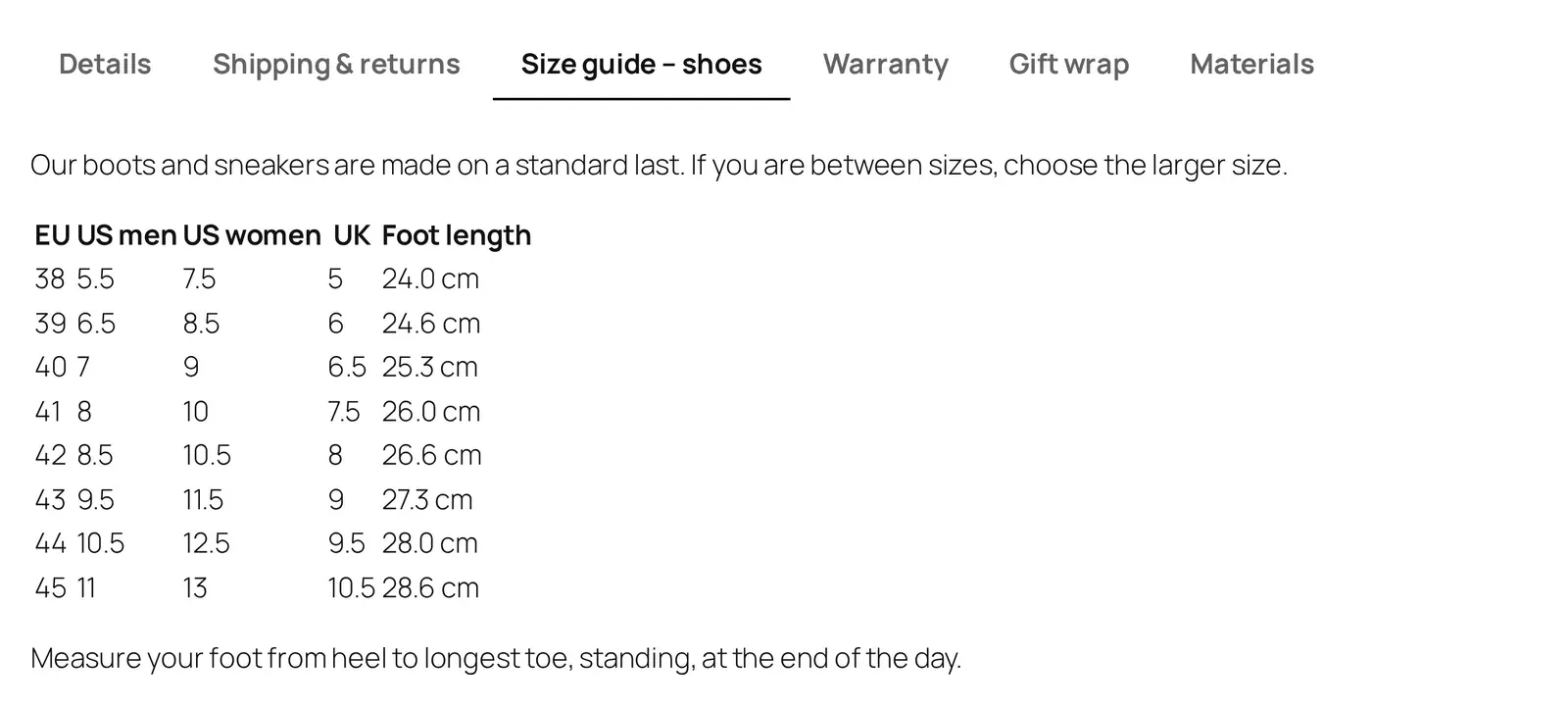
Problem: the same size guide pasted into hundreds of products.
Write a shared tab once
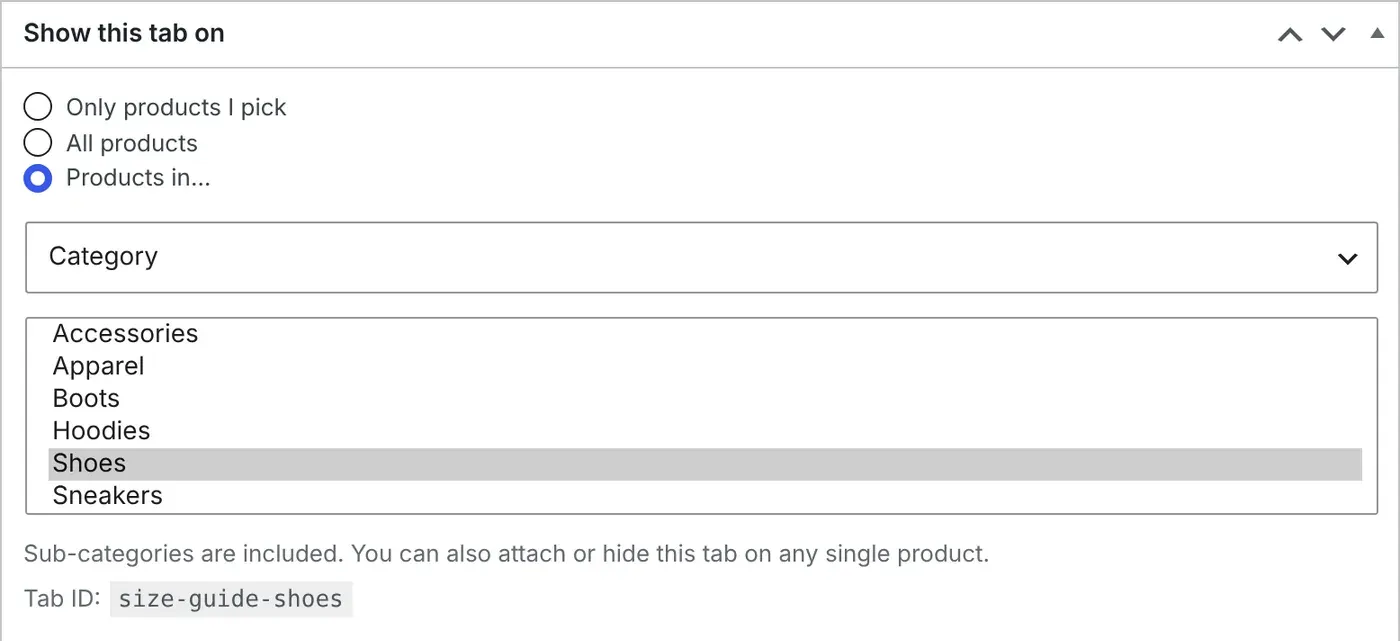
- Show a shared tab on all products, or on every product in chosen categories, tags or brands. Sub-categories are included.
- New products in that category get the tab automatically.
- Edit it once and every product shows the new version.
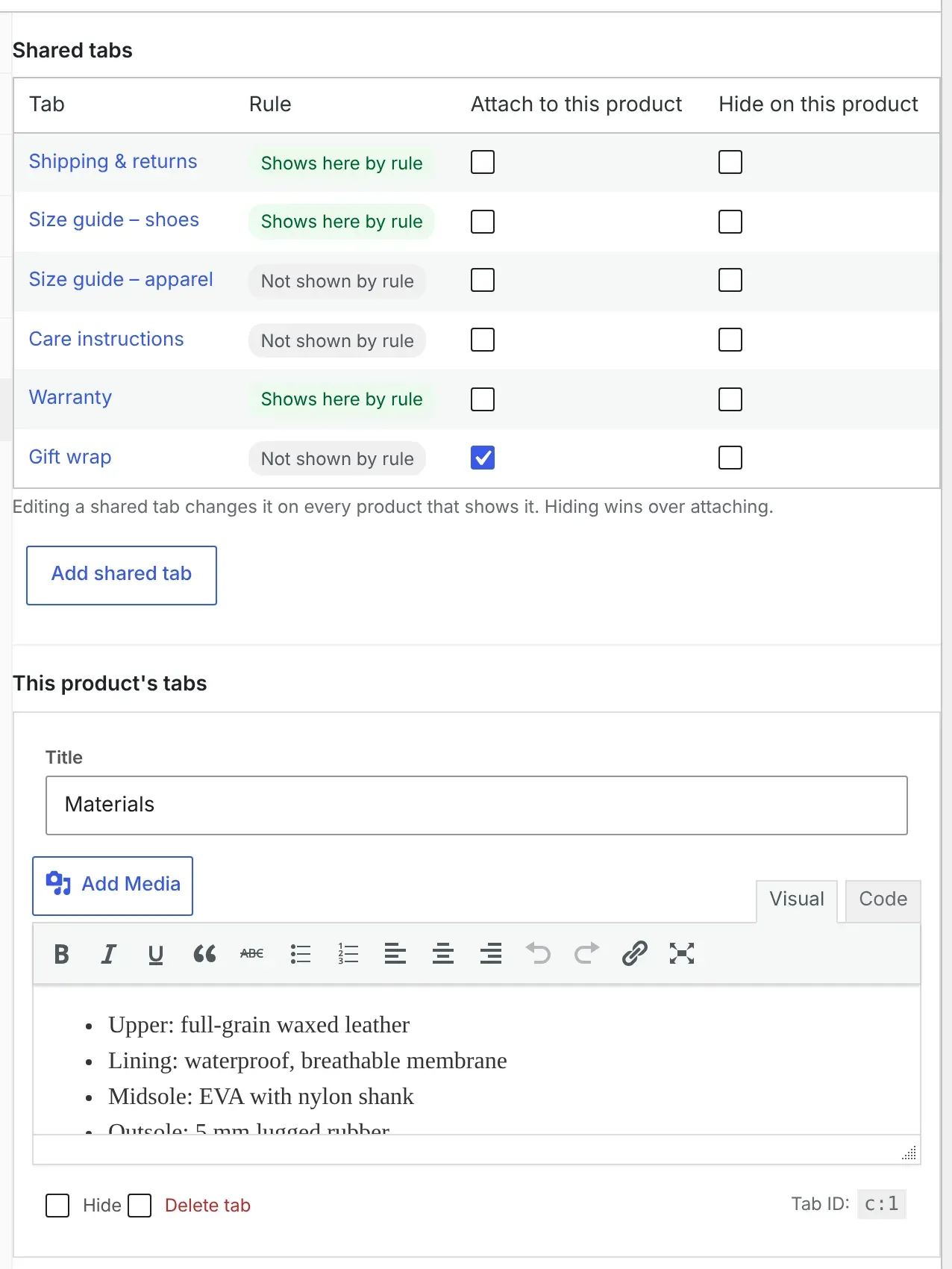
- Attach a shared tab to one product, or hide it on one product, without touching the rule.
Problem: tabs that vanish after an update, import or migration.
Never lose your tab content
- Tabs are stored as plain fields, one value each, so updates, CSV imports, search-and-replace and migrations leave them intact.
- The previous version of every product tab is kept, so a bad edit can be undone.
- If BulkTab finds tab data it can't read, it warns you and names the product instead of silently showing an empty tab.
- Deleting the plugin keeps your tabs unless you choose otherwise.
Problem: no safe way to edit tabs in bulk.
Edit tabs in a spreadsheet
- Tabs appear as readable columns in WooCommerce's own product CSV export.
- Excel and Google Sheets safe: edit the file and import it back with "Update existing products" ticked.
- Leave a column out and that data stays as it is. Type
[keep]in a cell to leave just that cell unchanged.
The BulkTab columns of a real product CSV export from our test store:
…,"BulkTab 1 title","BulkTab 1 content","BulkTab attached","BulkTab hidden","BulkTab order"
…,Materials,"<ul><li>Upper: full-grain waxed leather</li>…",gift-wrap,additional_information,
Problem: no control over the product page.
Your product page, your way
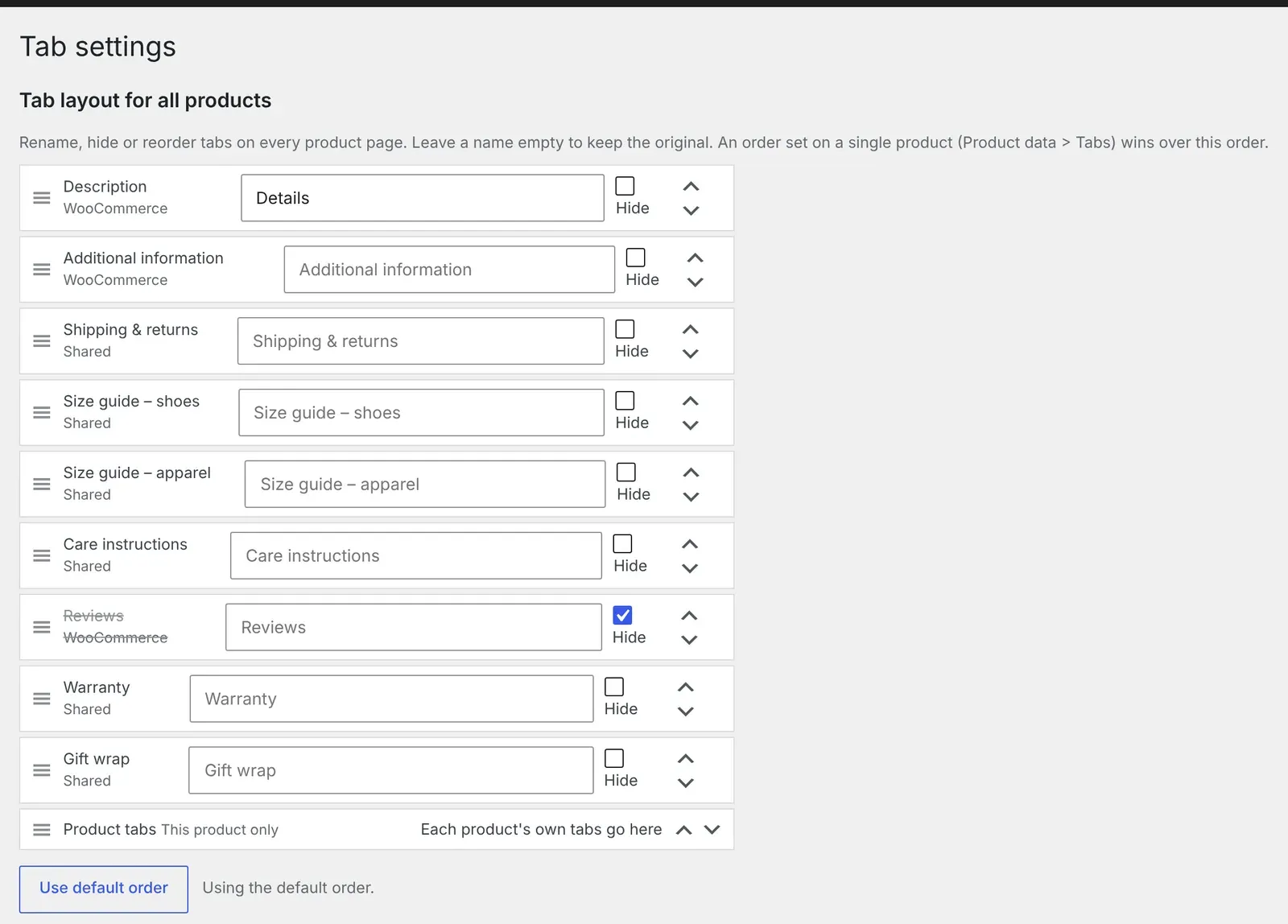
- Rename, reorder or hide any tab store-wide, including WooCommerce's Description, Additional information and Reviews.
- Reorder or hide tabs on a single product.
- Empty tabs are hidden automatically.
Free · No locked features · No tracking
Big catalog? BulkTab Pro adds combined rules, bulk changes with undo and backups for $49.99/year.
On your storefront
Your theme shows the tabs. BulkTab adds no weight.
BulkTab loads no extra scripts or styles on your storefront. WooCommerce and your theme display the tabs, so they look like the rest of your store.
- Works with classic and block themes.
- Elementor, Divi and other builders: place the tabs anywhere with the
[bulktab_tabs]shortcode, or a single tab with[bulktab_tab]. - Tab titles and content are translatable with WPML and Polylang.
Shortcodes for custom layouts
| Shortcode | Shows |
|---|---|
[bulktab_tabs] | All tabs of the current product |
[bulktab_tab key="size-guide"] | One shared tab, by its Tab ID |
[bulktab_tab slot="1"] | One of the product's own tabs |
Switching from another tab plugin is safe
The most-installed tab plugin runs on about 70,000 stores and has not been updated since April 2025 (as of November 2026). If your tabs live there, BulkTab can bring them over safely.
- One-click import of your existing product tabs and saved tabs.
- A dry run first, so you see exactly what will happen before anything is written.
- Your old plugin's data is never changed, and running the import again creates no duplicates.
- While both plugins are active, each tab appears only once on the product page.
Built to keep working, and to respect your store
52
End-to-end checks
Automated end-to-end checks run on a real WordPress and WooCommerce store on every change to the code.
458
Unit tests
Alongside the end-to-end checks, BulkTab has 458 unit tests. The full source is public on GitHub under the GPL.
0
Tracking and nags
No tracking, no data sent anywhere, no pop-ups and no repeating notices. Everything in the free plugin works with no licence checks.
Guides for WooCommerce product tabs
- How to Add a Custom Product Tab in WooCommerce
- Rename, Reorder or Remove WooCommerce Product Tabs
- How to Add a Size Chart to WooCommerce Products
- Why WooCommerce Product Tabs Disappear (and Fixes)
Want the full list? See every BulkTab feature or compare Free and Pro.
Questions store owners ask
Is BulkTab really free?
Yes. Everything in the free plugin is fully working, with no locked features, trials or licence checks. BulkTab Pro is a separate add-on for large catalogs that adds combined rules, bulk changes with undo, and backup and restore.
Will my tabs survive updates, imports and site migrations?
Yes. Each tab title and content is stored as its own plain field, so plugin and WooCommerce updates, CSV imports and search-and-replace during a migration don't corrupt them. The previous version of each product tab is kept for undo.
Does it work with my theme or page builder?
Classic and block themes show the tabs automatically. If Elementor, Divi or another builder uses its own product layout, place the [bulktab_tabs] shortcode where the tabs should appear.
Can I move my tabs from another tab plugin?
Yes. The one-click import runs a dry run first, never changes the old plugin's data, and creates no duplicates if you run it again.
What do I need to run BulkTab?
WordPress 6.8 or later, PHP 7.4 or later, and WooCommerce with the classic product editor.
Stop pasting the same tab into every product
Install BulkTab free from WordPress.org: no locked features, no trials, no tracking. Add Pro later if your catalog outgrows it.